The private document scanner for your phone
Scan paper into clean PDFs in seconds. Doxumi removes shadows, scans both sides of ID cards, and lets you sign, merge and share files without an account. Your documents stay on your phone unless you share them.
Free · Android 7.0 or later
- No account
- Works offline
- No ads
- No watermark
Everything you need to scan, sign and share
Scan in seconds
Automatic edge detection and multi-page scanning turn a stack of paper into one tidy PDF.
Clean, sharp pages
Seven filters remove shadows and lift contrast, so text stays readable on screen and in print.
ID cards on one page
Scan the front and back of an ID card onto a single A4 page at real size.
Sign without printing
Draw your signature once, then place it on contracts, forms and letters.
PDF tools
Merge, split and compress PDFs, convert images to PDF and PDF to images, all offline.
Copy text
Turn printed pages into text you can copy, edit and share.
Scan to PDF in three steps
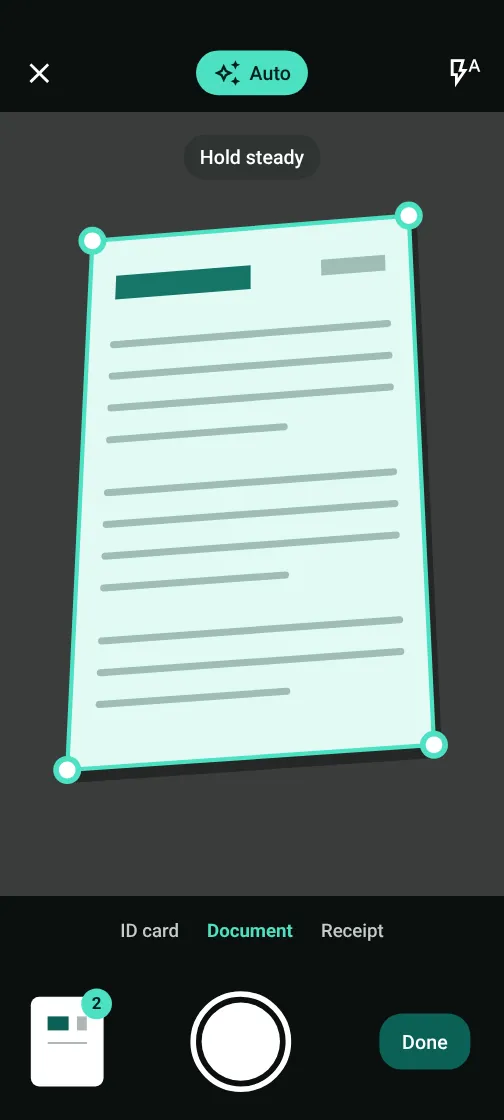
Step 1: Scan
Point your camera at the page; Doxumi finds the edges and captures it.
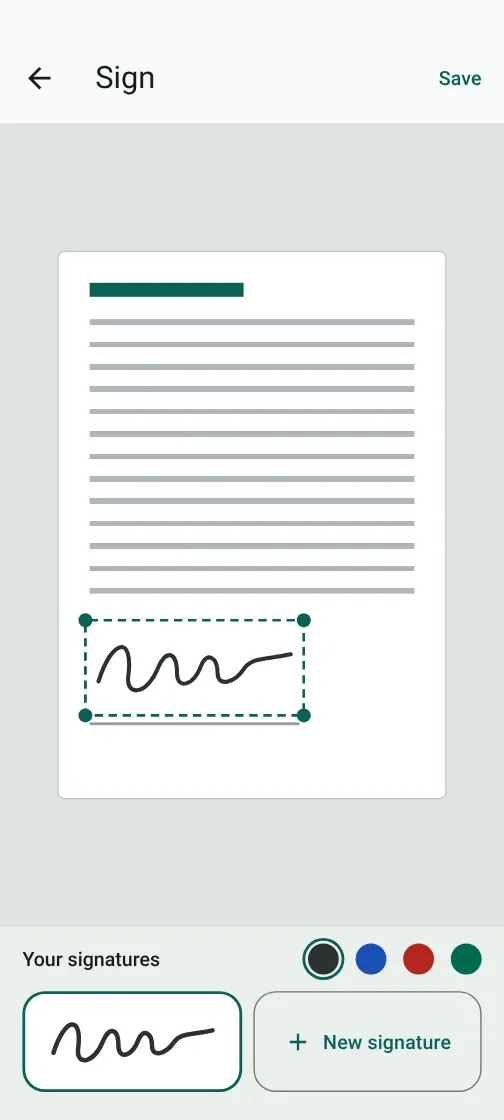
Step 2: Edit
Pick a filter, crop, then add a signature or text.
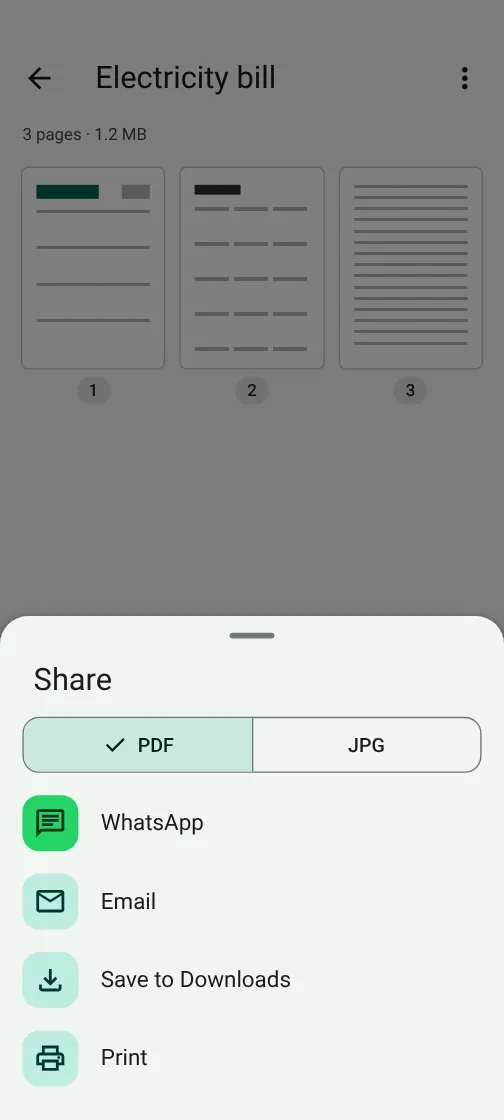
Step 3: Share
Save as PDF or JPG, or send it straight to WhatsApp or email.
Your documents stay on your phone
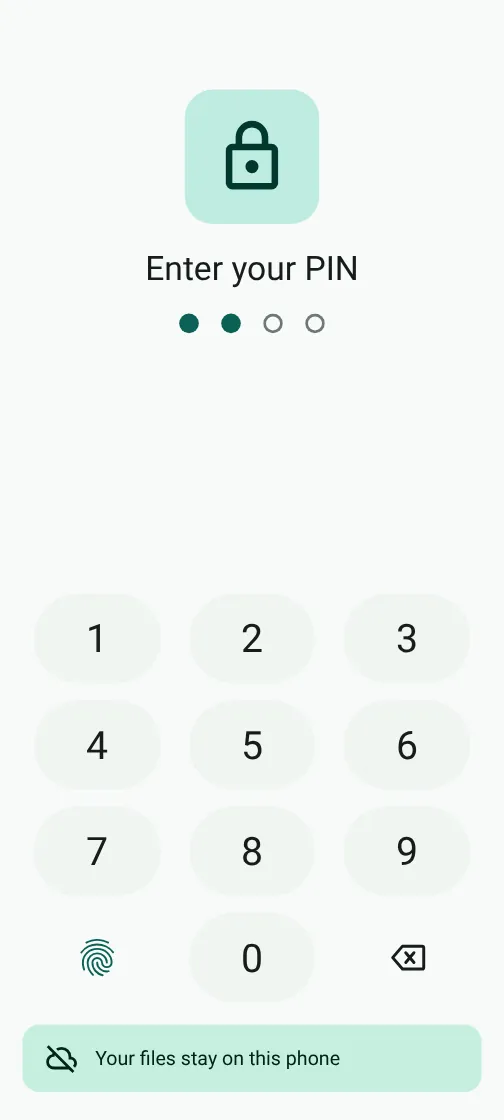
Doxumi has no servers to upload to. Your scans are stored on your device, the app works without internet, and you never need an account. Lock the app with a PIN or your fingerprint so only you can open it.
- No servers and no uploads
- Works without internet
- No account to create
- PIN or fingerprint lock
Made for everyday paperwork
Students
Homework, notes and book pages.
Work
Receipts, invoices, contracts and forms.
Home
IDs, certificates, bills and letters.
Is Doxumi free?
Yes. Every feature is free, with no ads and no watermark on your scans.
Does Doxumi work offline?
Yes. Scanning, editing and the PDF tools all work without internet; you only need a connection to share a file.
Where are my documents stored?
Only on your phone. Doxumi has no account and never uploads your files.
Can I scan both sides of an ID card?
Yes. ID card mode puts the front and back on one A4 page at real size.
Can I sign a PDF?
Yes. Draw your signature once, save it and place it on any page.
Which languages does Doxumi support?
English, Spanish, French, German, Italian, Portuguese, Turkish, Arabic and Urdu.

Start scanning with Doxumi
Turn your phone into a private scanner in under a minute.